Showing posts with label networking. Show all posts

Sunday, November 08, 2009

Seriously, Verizon Sucks

I ended up calling them right after this bill arrived, trying to get some answers. I wanted to verify that I had the absolute barest-bones plans (I do) and that there's nothing I can do about the "Verizon Long Distance Shortfall" charge aka making my "free" $0.00/month Long distance plan, which can not be removed from my service, actually cost $5/month.


After that phone conversation (for what it's worth after about 20 minutes on hold the rep I spoke to was very friendly, knowledgeable and apologetic. Which only continues my experience of Verizon people being very nice and helpful, but the company as a whole is terrible) I called my DSL provider to see what they could do about setting up a "dry loop" DSL line. This is DSL service without the need for a dial tone on the line. 25 minutes of investigating later, it was clear a dry loop service was not possible , as far as I can tell because Verizon said-so. Neither was wholesale Fiber, which they do in some areas, but not mine. Even though my apartment is already wired for FiOS.

Amusing side-note:
A few weeks ago I got a telemarketing call from Verizon trying to get me to switch to FiOS to "save me money". I decided to humor the guy. I mean, if I could get 50MBps fiber service for the same number of dollars I'm currently spending, I'd be up for that.

First though, I wanted to tackle the whole "blocking port 80 etc" issue. I can't find reliable information anywhere about whether Ports 80, 25 etc are blocked on FiOS. I know they are unavoidably blocked on residential Verizon DSL lines (which is what differentiates their Resi/Commercial services, as far as I can tell). The telemarketer got flustered and said he'd have to check. After a minute or two on hold he got back to me saying he talked to someone in tech support and told me that when the installer shows up, I should just tell him what port I wanted to use in my apartment and he could set that up. I then proceeded to inform him it was not a physical device but rather a portion of the software used in networking protocol. He put me on hold for a few minutes again and then came back, apologizing that he couldn't find anyone that knew about these "ports" and that I should just ask the install tech.

Next we covered the "saving money" angle. I currently pay a total of around $70/month to Verizon and my ISP for what amounts to just my internet connection. $24 (phone bill) + $2.88 (Supplier Surcharge Recovery Fee tacked onto my DSL bill by Verizon) is paid to Verizon, who's services I do not use, and I don't appreciate being forced to pay them for services I neither receive nor want from them (yes, I get phone service, but only receive calls for other people on it).

The telemarketer was only able to offer about that much per month for just internet and phone (and free installation of a first and second computer(!)). Combined with my general dislike for the company and absolutely no answer on the blocking port 80 question, I decided to decline the "generous" offer.

Again, what really gets me about this, is my total lack of options. If I want home internet, I can either keep doing what I am, which seems overly expensive, as I'm paying almost $30/month for services I don't need or use. I could switch to FiOS, essentially rewarding Verizon for having excessive control over the phone network, or go with Comcast digital cable/voice which just seems like trading one huge telco for another which sets arbitrary bandwidth caps and may or may not be filtering/throttling connections.

Sigh. All I want is reasonably priced internet, without paying for services I don't want. Is that too much to ask?

Friday, July 06, 2007

Riddle Me This...

So I wanted to perform a 'covert' upgrade of an old Hub on our network at work, hopefully to allow full 100Mbit 'Fast Ethernet' to reign. As far as I know, the hub is the only device on the network that isn't 10/100 Ethernet, it's just 10Mbit. However, as soon as I swapped it out for this 8-port switch, one machine refused to admit that it was in fact plugged in. I tried multiple ports on the switch and every other machine that was plugged into the new switch behaved fine.

Another odd behavior noted on this network that I wanted to address by upgrading the switch was some (but I don't think all) computers on the network lose some or all network connectivity if a network cable is left plugged into a switch without also being plugged into a computer.

The infrastructure is as follows:

Cable Modem
|
Linksys Router w/Switch
||| |
Empty 8-Port Linksys 'Workgroup' Switch
|||||| | |
Computers 'Server' Old Hub
|||||
Computers

The 'Server' doesn't do any routing or anything, it does run Server 2003 and hosts an Exchange server for mail, as well as serving as general storage for files and our database(s).

Eventually I want to just get a 16-24 port switch and run all the network cables back to the 'server closet' (my old office I used to share with the server) and not bother with this 'daisy chaining' or 'cascading' as the hub seems to call it.

Saturday, June 02, 2007

Hello, Verizon?

Yes, I would like some fatter pipes.

So we were being charged $39.95 for 768k DSL from Verizon. I called up about getting and upgrade and the sales tech was confused because they don't even sell 768k anymore, as I recall.

Note: our DSL modem says "Bell Atlantic" on it. So we've obviously been subscribed for a number of years.

Anyway, Shaun at Verizon pointed out that for only $29.95 we could get 1.5-3.0 Mbps DSL. He also looked at our land-line service and saved us $12/month on that too.
I guess it pays to call service providers occasionally about your plan.

Also, our Bell Atlantic Westell DSL modem has gotten flakey lately, requiring periodic resets. To that end, we also just ordered a new DSL modem. It looks pretty nice and hopefully it'll be a tad more reliable.
[UPDATE(6/5/07)]:

Sure beats the 768k/64kish I used to have.
[UPDATE(6/7/07}]:

Looks like the new modem doubled my upstream bandwidth.

Friday, May 04, 2007

Daddy needs a new Access Point...

Any opinions, people?

As far as I can tell, the D-link has a more sensitive receiver across all the bands (except at the bottom of the data rates) and is cheaper (and has more reviews on Newegg, for what it's worth).

The Netgear is more expensive, obviously (but only $5 more after shipping and rebate), has WPA2 support (don't know how much I really care) and a more powerful transmitter along with being from the same product line as my new router and explicitly being compliant with the VNC system of aforementioned router. The Netgear firmware itself likely has more config options since it's a business-line product, which may be something of a double-edged sword since there're more options to play with and potentially break something with.

Obviously all transmitter power/receiver sensitivity numbers are from the individual manufacturers themselves, so I must take them with several grains of salt.

Sunday, July 16, 2006

Sen Stevens, Net Neutrality expert, pt2

YouTube - (TheBlueState.com) Jon exposes Senator Stevens on neutrality

Now, let me just say this: I'm proud to be an American. I'm just not proud of many of the people who are in charge around here.

Friday, July 07, 2006

The only thing hard enough to penetrate it....

Root Problem:
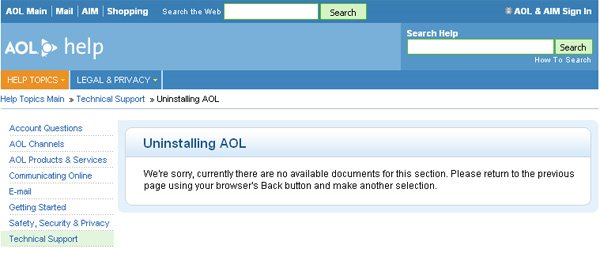
I can't unstall the AOL Bloatware (TM) that came installed on my family's DELL computer. Never mind that I am planning on formatting the primary HDD and reinstalling windows; I was bored at work.


Chat Transcript:


1:21:19 PM

System

Welcome Alex ...


1:21:19 PM

System

Connecting to server. Please wait...


1:21:19 PM

System

Connected to wnaad01o.ops.aol.com

1:26:14 PM

System

AOLTechSJZ has joined this session!

1:26:14 PM

System

Connected with AOLTechSJZ

1:26:14 PM

System

Hello, Alex. Welcome to Live Technical Support. My name is Jei.

1:26:22 PM

You

hello

1:26:24 PM

System

Alex stated the question or problem as: I am unable to uninstall AOL software.

1:26:24 PM

System

Are you signed on with the same computer that you need assistance with?

1:26:29 PM

You

no

1:26:44 PM

AOLTechSJZ

Nice to meet you, Alex! =)

1:26:52 PM

You

Indeed

1:26:54 PM

AOLTechSJZ

You cannot install AOL right?

1:27:01 PM

You

UNinstall

1:27:04 PM

AOLTechSJZ

What happens when you try?

1:27:04 PM

AOLTechSJZ

Are you receiving any error messages? If so, what is the exact text of the error message?

1:27:27 PM

You

I open "Add/Remove Programs" from the Control panel

1:27:34 PM

AOLTechSJZ

Thanks for the correction.

1:27:44 PM

AOLTechSJZ

What happens when you try to uninstall?

1:27:46 PM

You

then I scroll down and find the AOL software and click the "remove" button

1:28:15 PM

You

The unstaller then starts and says it needs to inspect my system, but no changes are being made

1:28:25 PM

You

then it hangs and nothing short of a reboot will fix it

1:29:14 PM

AOLTechSJZ

I understand. It freezes when checking on list of AOL programs.

1:29:34 PM

AOLTechSJZ

Have you tried to uninstall it on SAFE MODE? This will prevent freezing since only windows programs will be loaded to your computer

1:29:49 PM

You

I have, and I have the same issue

1:30:45 PM

AOLTechSJZ

May I know what else have you tried to fix this?

1:31:11 PM

You

I have tried running virus, adware and spyware scans

1:31:19 PM

You

I have defragmented the harddrive

1:31:36 PM

You

and run the uninstall immediately following a reboot, both in normal and safe mode

1:32:15 PM

AOLTechSJZ

What about end tasking other processes?

1:32:42 PM

You

I already only have critical ones running; I keep my computer in good working order

1:34:16 PM

AOLTechSJZ

Your pretty good in PC's!

1:34:36 PM

AOLTechSJZ

The safe mode steps should have already fixed this.

1:34:46 PM

AOLTechSJZ

Do you see AOL UNINSTALLER from the add/remove programs?

1:34:53 PM

You

no

1:35:46 PM

AOLTechSJZ

What AOL version do you have on this computer?

1:36:21 PM

You

I don't know; it came installed on the computer (DELL) when I bought it and I'm trying to clean up the computer. I have never used AOL for an internet connection

1:38:07 PM

AOLTechSJZ

I understand.

1:39:07 PM

AOLTechSJZ

Since you have trouble uninstalling it( the one that is pre installed) do you have an AOL CD there? Try overwriting the AOL software you have on this computer by installing a new version and then uninstall it. You should have AOL UNINSTALLER listed on the add/remove programs

1:39:47 PM

AOLTechSJZ

AOL uninstaller is the program to remove AOL software and since you are not a member yet, you cannot download it. The only way to get it is to reinstall or overwrite the existing AOL software.

1:40:08 PM

You

No, I do not have an AOL CD available

1:40:28 PM

AOLTechSJZ

You can upgrade while you're online. Please go to AOL Keyword: Security Upgrade or to our Web site at http://www.aol.com to download the software and upgrade to the latest version of AOL.

1:40:38 PM

AOLTechSJZ

If your connection is bad, I recommend upgrading from a free AOL® CD. You can order one online at AOL® Keyword: UPGRADE, or click PICK UP A CD NEAR YOU for a complete list of retailers in your area, such as Blockbuster®, Circuit City®, or CompUSA®.

1:41:22 PM

You

"Thanks" for the help, I'll "try" that

1:41:48 PM

AOLTechSJZ

Thank you for your understanding.

1:41:48 PM

AOLTechSJZ

You're most welcome! Have an excellent day ! =)

1:41:58 PM

AOLTechSJZ

Take care! Bye bye.